By the end of this module learners will be able to:
Explain the difference between normalization and standardization and when to use each.
Apply scaling methods in R (scale(), caret::preProcess) and create min-max and robust scaling.
Detect and treat missing values and common outliers.
Prepare data for PCA and clustering (center, scale, and check assumptions).
Write small self-check tests to verify preprocessing steps.
1.2 1. Why preprocessing matters
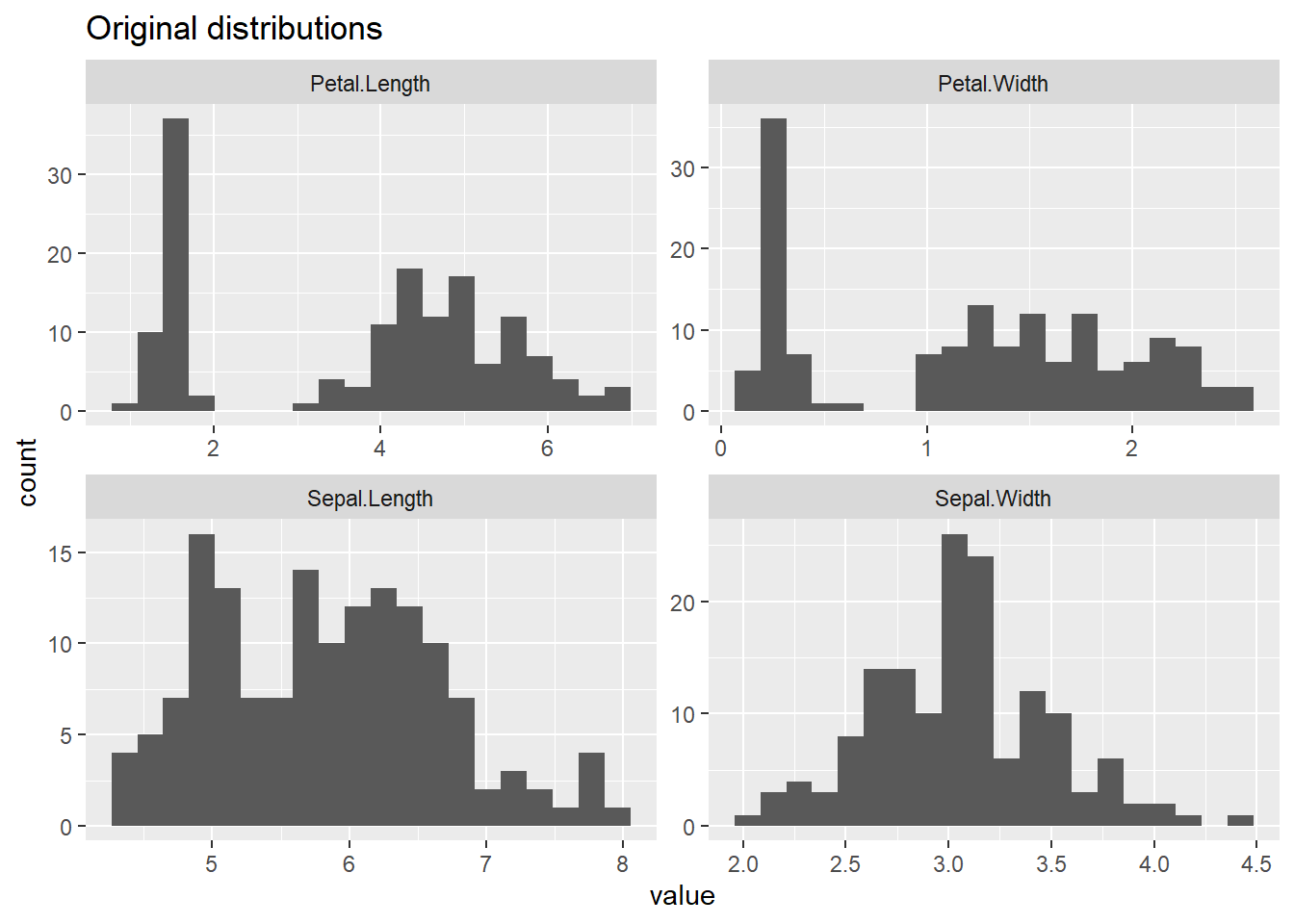
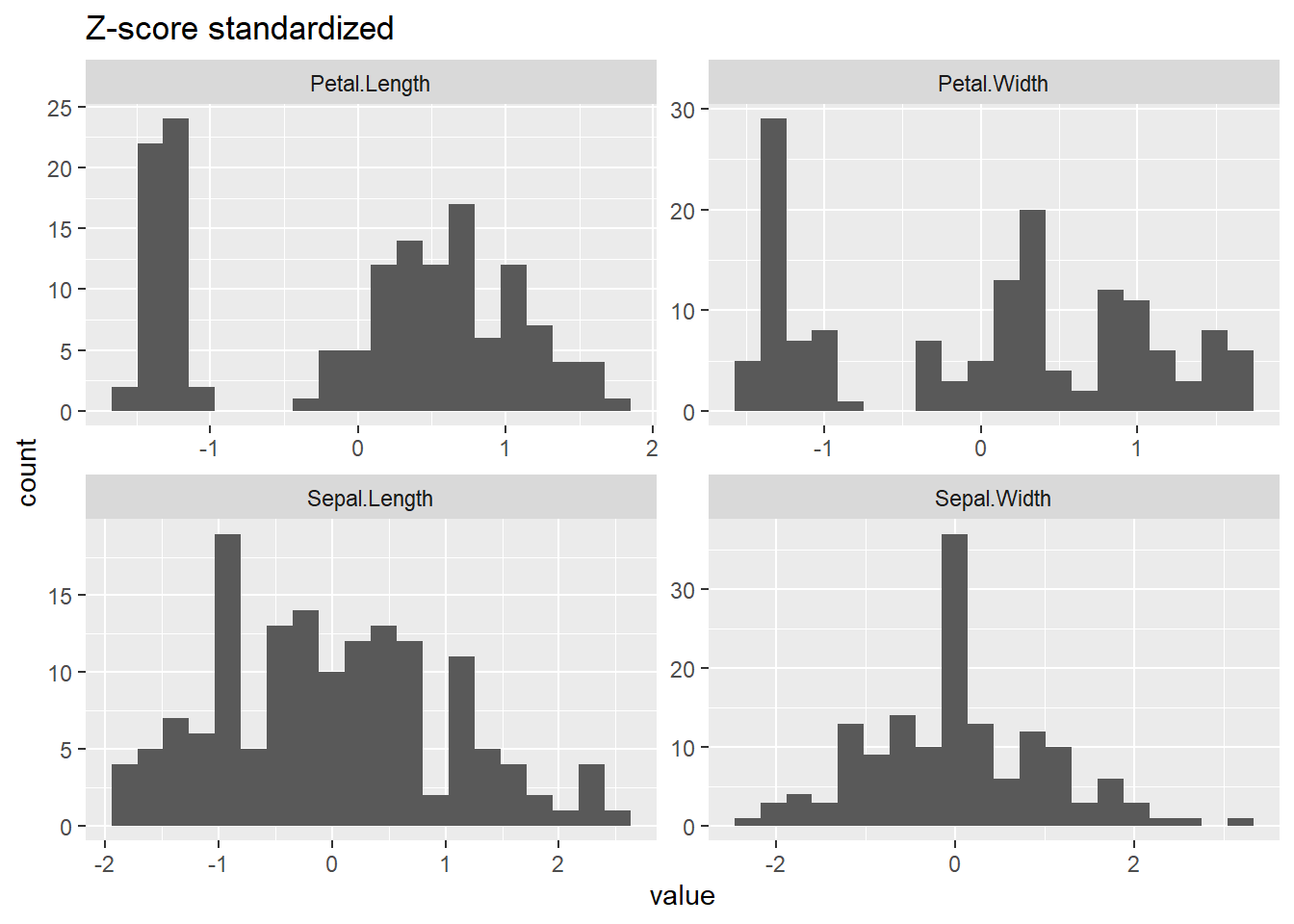
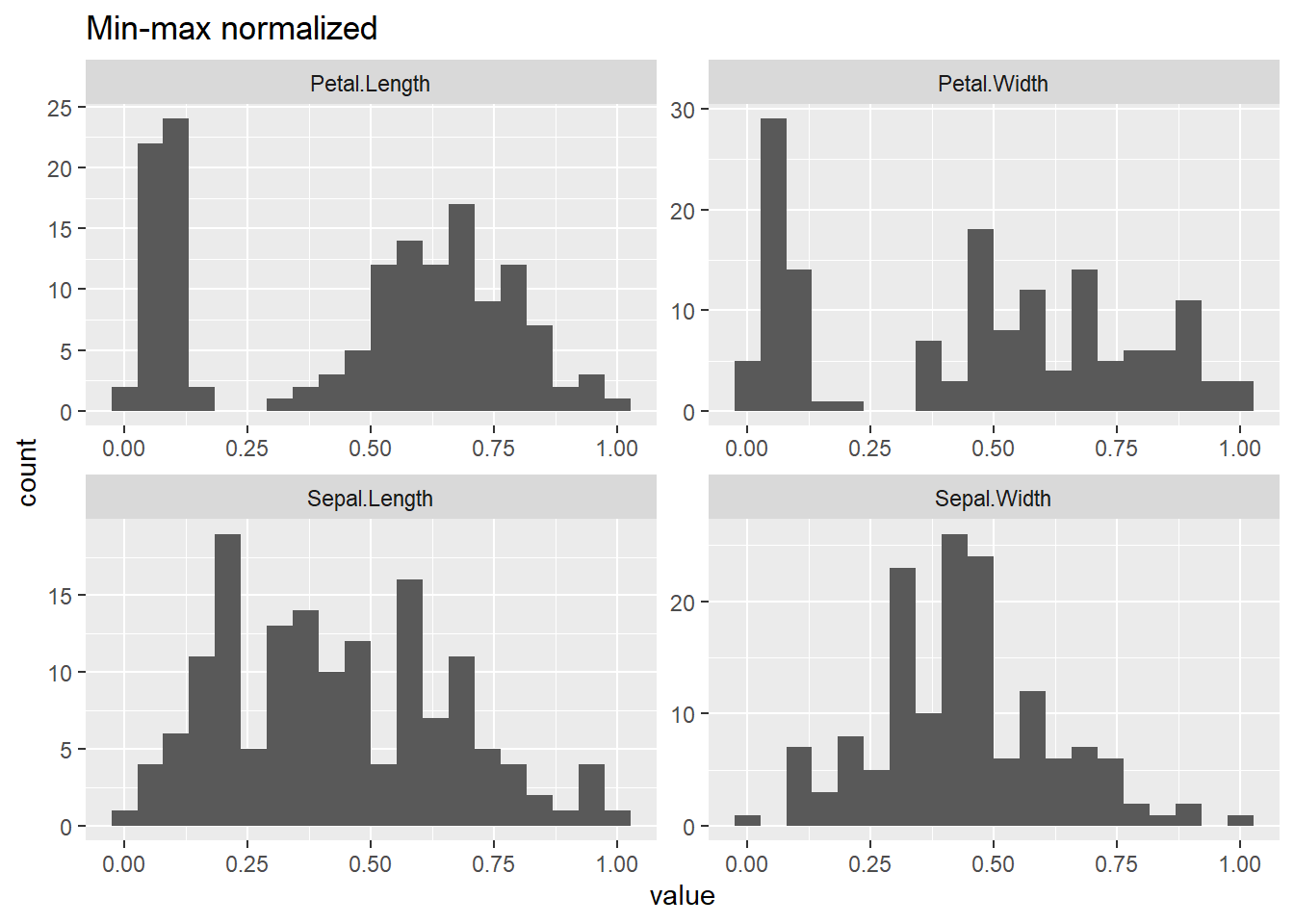
Many algorithms (like K-means, PCA, distance-based methods) assume features are on comparable scales. Preprocessing ensures that units and magnitudes don’t distort the analysis.
  Sepal.Length    Sepal.Width     Petal.Length    Petal.Width
 Min.   :4.300   Min.   :2.000   Min.   :1.000   Min.   :0.100
 1st Qu.:5.100   1st Qu.:2.800   1st Qu.:1.600   1st Qu.:0.300
 Median :5.800   Median :3.000   Median :4.350   Median :1.300
 Mean   :5.843   Mean   :3.057   Mean   :3.758   Mean   :1.199
 3rd Qu.:6.400   3rd Qu.:3.300   3rd Qu.:5.100   3rd Qu.:1.800
 Max.   :7.900   Max.   :4.400   Max.   :6.900   Max.   :2.500
       Species
 setosa    :50
 versicolor:50
 virginica :50
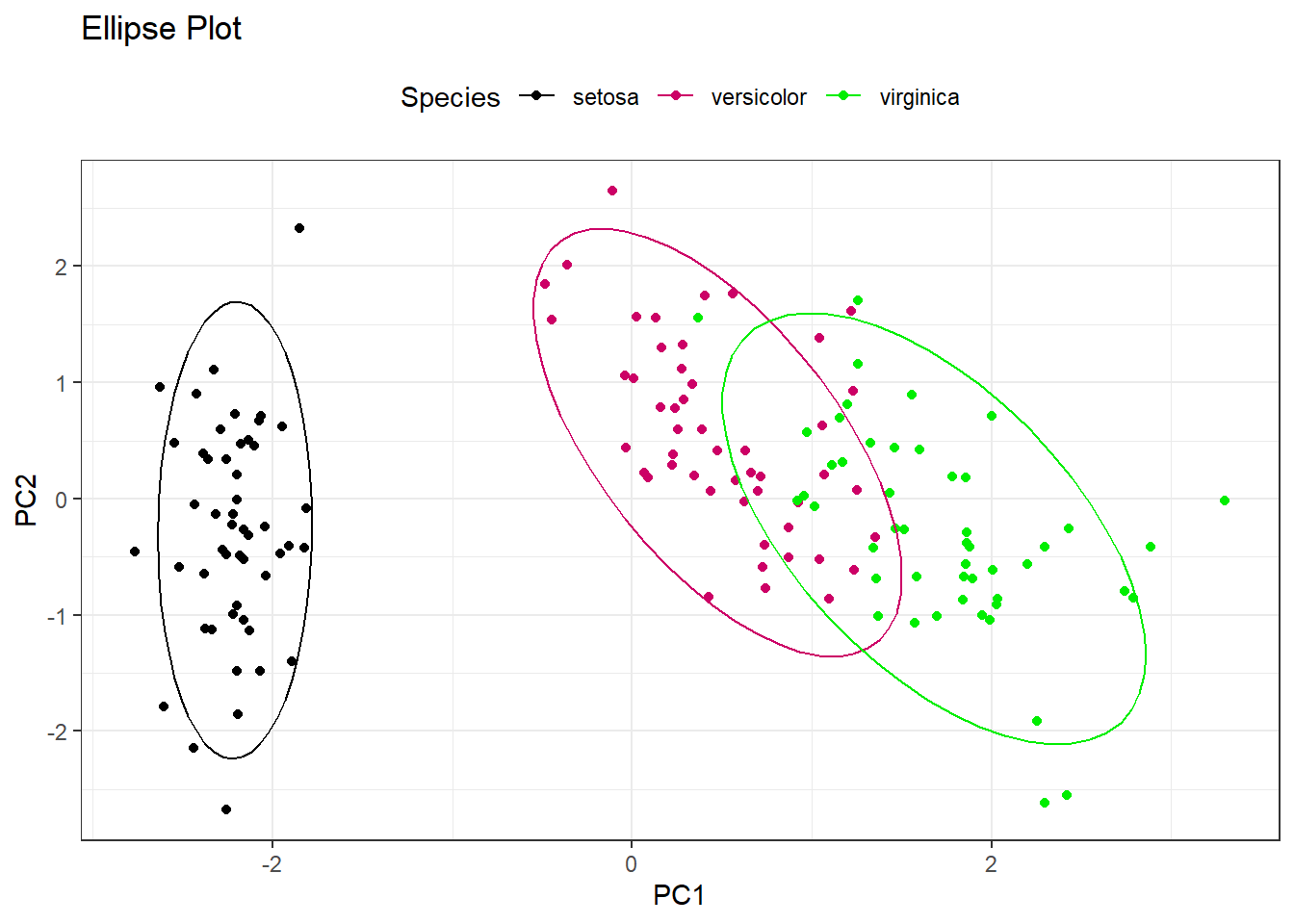
Principle Component Analysis is a transformation technique that focuses on dimensionaliity reduction. This entails transforming a dataset with a large number of variables into less variables that contain most of the information of the affected variables. The technique is split into 3 concepts as below
Dimensionality Reduction where the large number of variables are condensed into smaller variables that are a representation of the large ones.
Principal Components which are the new variables. These are a linear combination of the original variables and are ordered by the amount of the variance they capture.
Variance: PCA assumes that the information is carried in the variance of the features. The higher the variation in a feature, the more information it carries.
1.7.1 Preparing for PCA
Checklist: - Handle missing values - Numeric only - Center and scale / standardization - Remove near-zero variance
pp_pipeline <-preProcess(iris[,1:4], method =c("center", "scale")) ## centering and scaling the data setiris_scaled <-predict(pp_pipeline, iris[,1:4]) ## applying the behavior to the data setpca_res <-prcomp(iris_scaled) ## getting the principle components# summary(pca_res)# plot(pca_res, type = "l", main = "Scree plot")pca_dta <- pca_res$x %>%data.frame() pca_dta%>%head() %>% flextable::flextable() %>% flextable::autofit()
PC1
PC2
PC3
PC4
-2.257141
-0.4784238
0.12727962
0.024087508
-2.074013
0.6718827
0.23382552
0.102662845
-2.356335
0.3407664
-0.04405390
0.028282305
-2.291707
0.5953999
-0.09098530
-0.065735340
-2.381863
-0.6446757
-0.01568565
-0.035802870
-2.068701
-1.4842053
-0.02687825
0.006586116
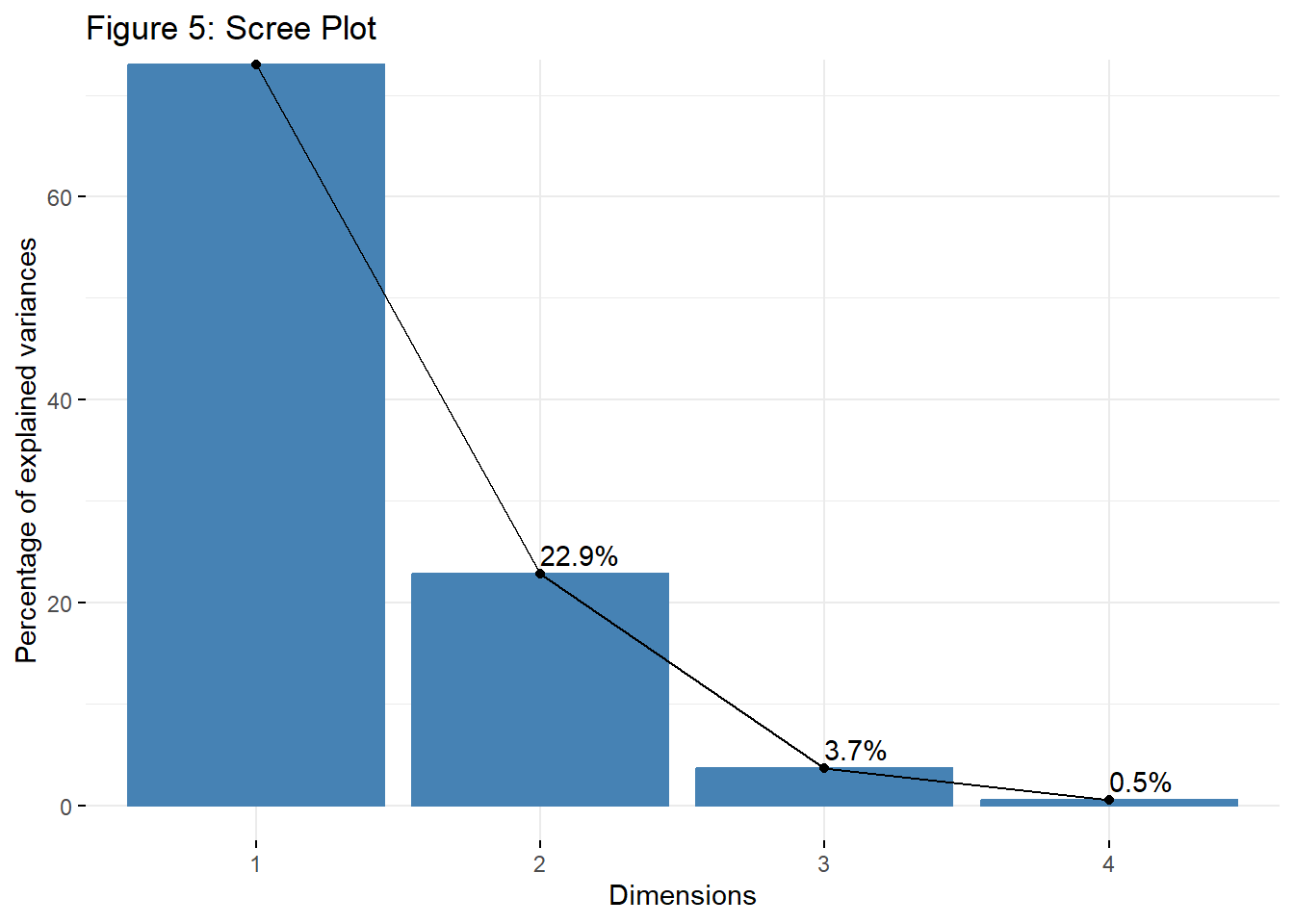
Visualizing the scree plot. This is used to visualize the eigenvalues or the proportion of variance explained by each principal component (PC).
library(factoextra)
Warning: package 'factoextra' was built under R version 4.3.3
Welcome! Want to learn more? See two factoextra-related books at https://goo.gl/ve3WBa
library(FactoMineR)
Warning: package 'FactoMineR' was built under R version 4.3.3
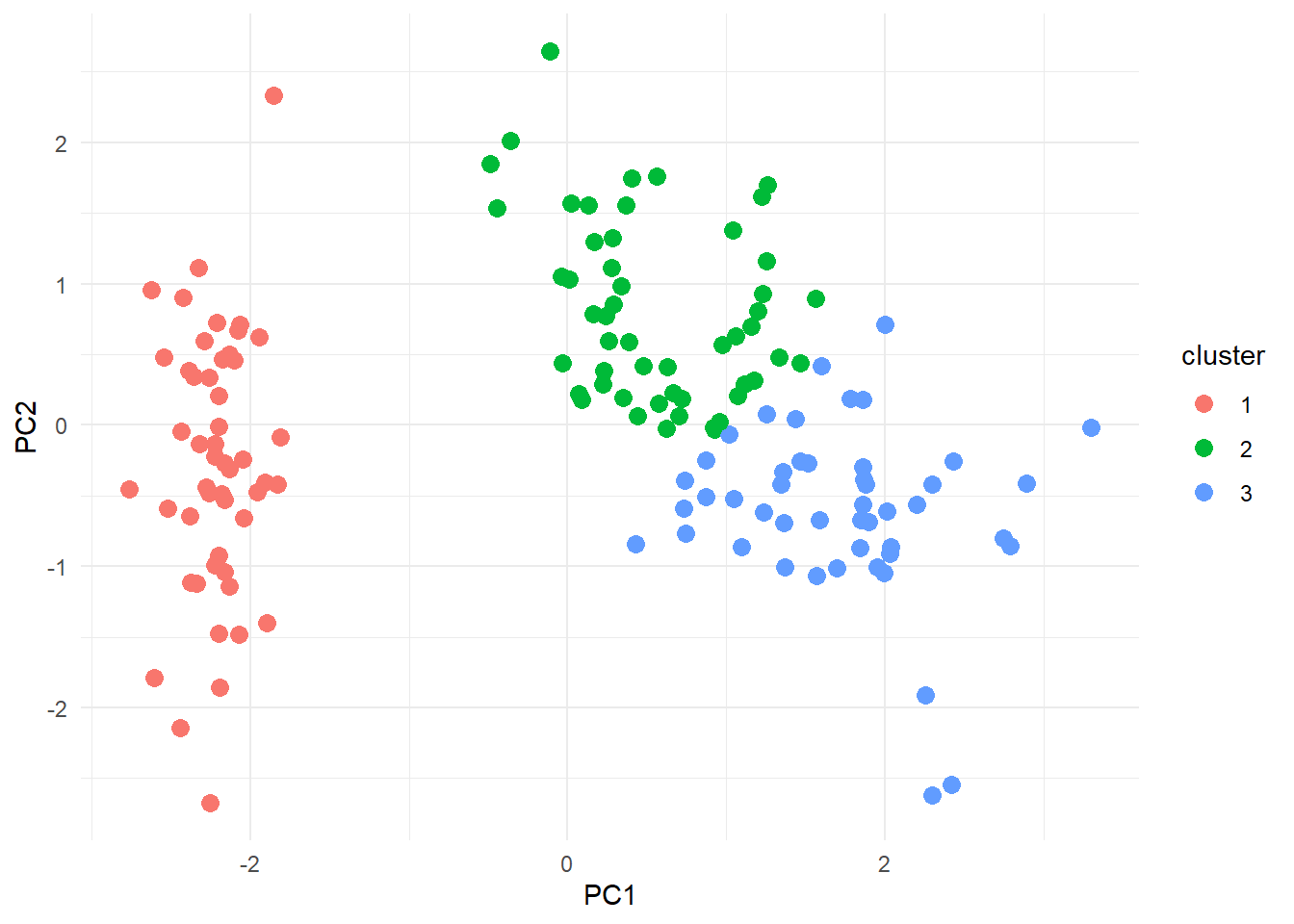
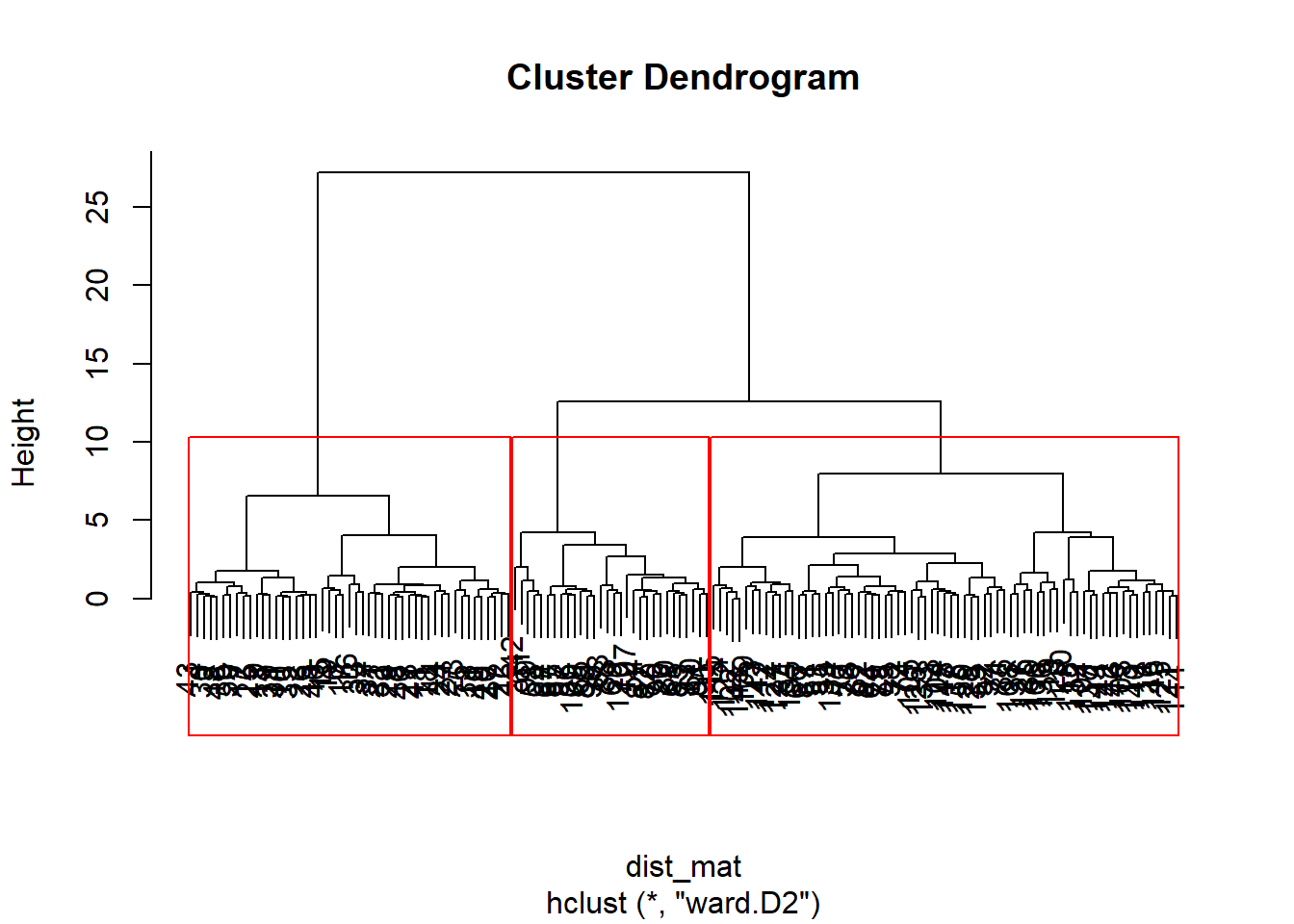
By the end of this module, learners will be able to: - Prepare data for clustering (scaling, distance measures, PCA-based preprocessing). - Perform K-Means, Hierarchical, and Density-Based clustering. - Evaluate clusters using Silhouette Width, Dunn Index, and internal metrics. - Interpret clusters visually using PCA and advanced plotting.
1.8.2 1. Data Preparation for Clustering
Before clustering, ensure variables are scaled correctly:
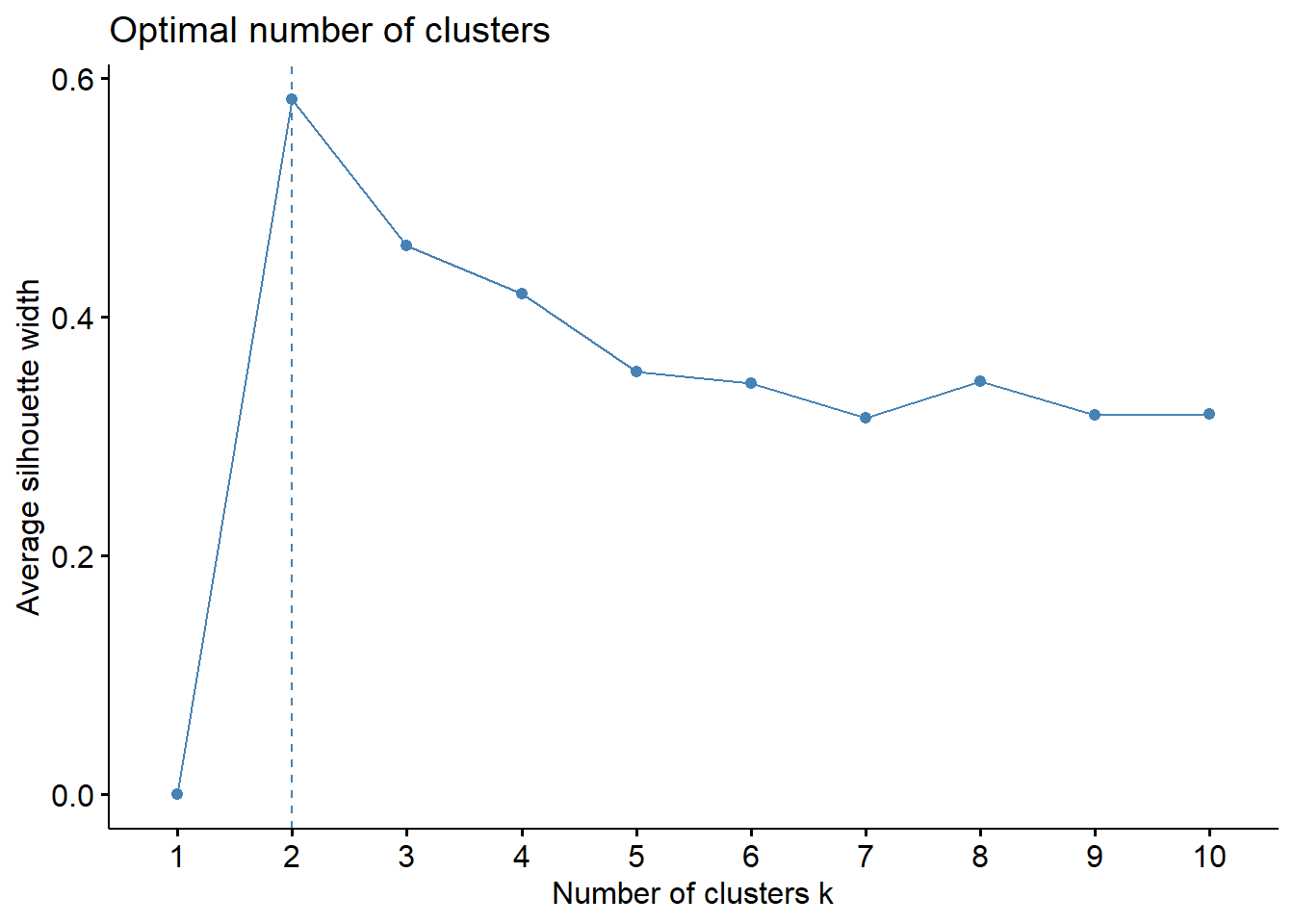
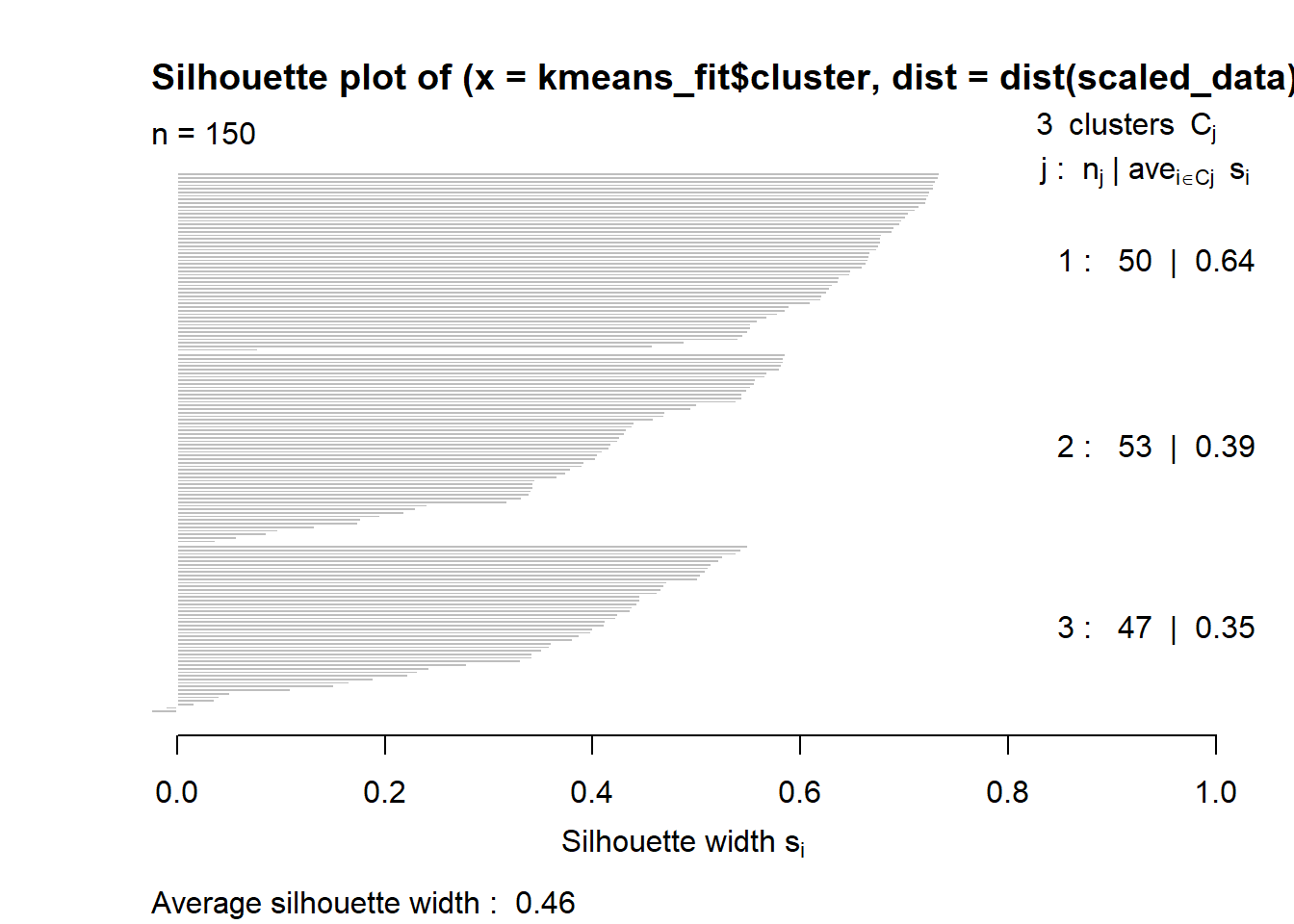
The Silhouette Score is used to evaluate the quality of clusters in a clustering algorithm. It measures how similar a sample is to its own cluster compared to other clusters. The score ranges from -1 to 1, where a higher score indicates better-defined clusters.A score close to 1 indicates that the sample is well-clustered, a score close to 0 indicates overlapping clusters, and a negative score indicates that the sample might be assigned to the wrong cluster.